The free plugin that makes your WordPress fast, secure and well ranked
Cache, lighter images, SEO, security and backup in a single plugin, made by Ranking. You choose how much it changes, and you can roll back whenever you want.
- Version 3.19.0
- Compatible with WordPress 7.1
- Requires WordPress 6.5+ and PHP 7.4+
- Size 3.7 MB
Verify the file (SHA-256)
a9c1daac24612bdb457fa34476d92dbcf190ae156a4f50af26a791c2044bb2d0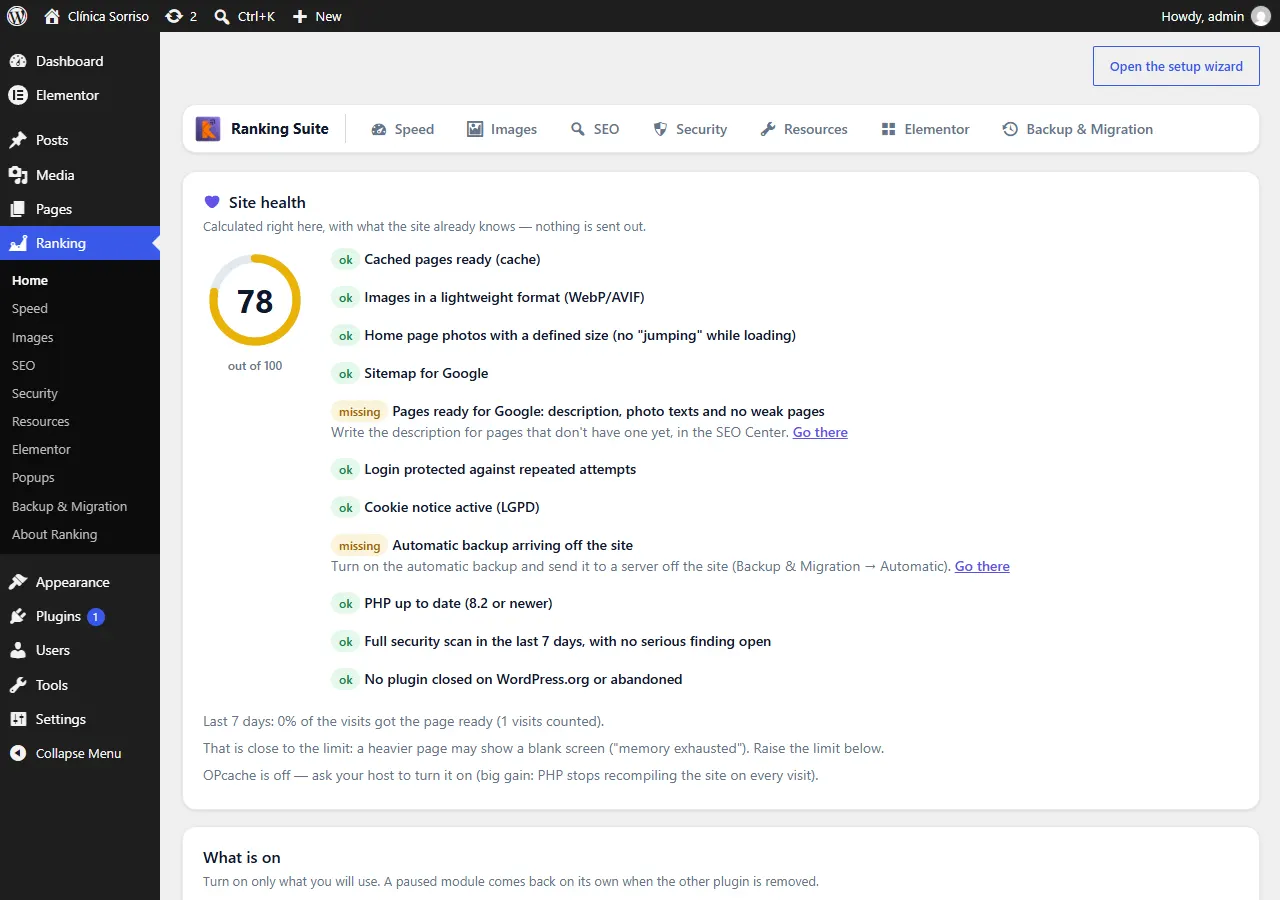
Running on the 65 sites Ranking hosts
- 63sites with the firewall on
- 27,955attack attempts logged in 24 h
- 1,969wrong passwords stopped in 24 h
Measured in our hosting dashboard on October 5, 2026.
One plugin instead of 7
What you no longer need to install. Fewer plugins means fewer updates, fewer conflicts and a lighter site.
| What you'd use today | In Ranking Suite, for free |
|---|---|
| WP Rocket / LiteSpeed Cache | Cache and speed |
| Smush / ShortPixel | WebP and AVIF images |
| Yoast SEO / Rank Math | AI-powered SEO |
| Wordfence | Security and scanning |
| UpdraftPlus / All-in-One WP Migration | Backup and migration |
| Complianz / CookieYes | Cookie notice (LGPD) |
| Joinchat | WhatsApp button |
The real screens
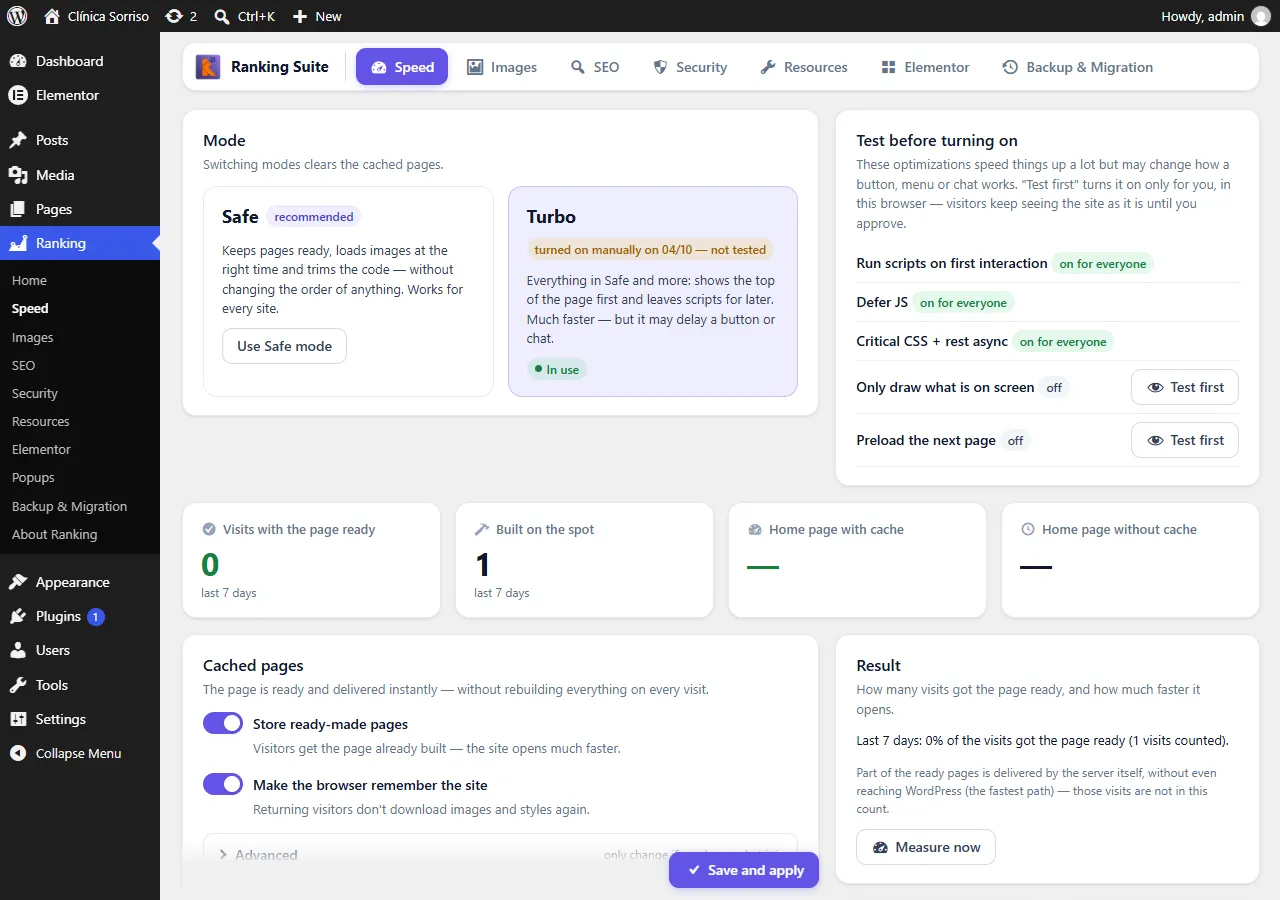
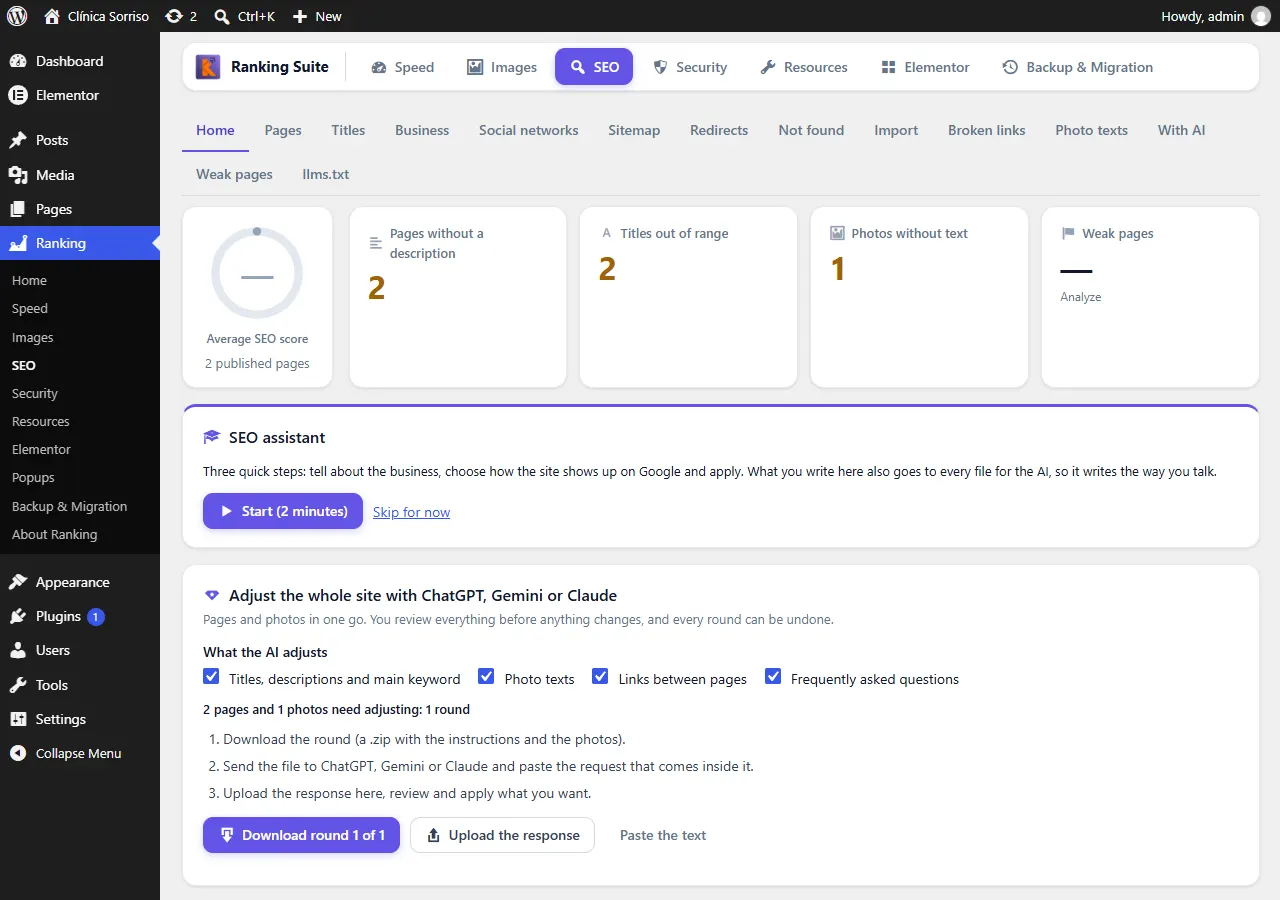
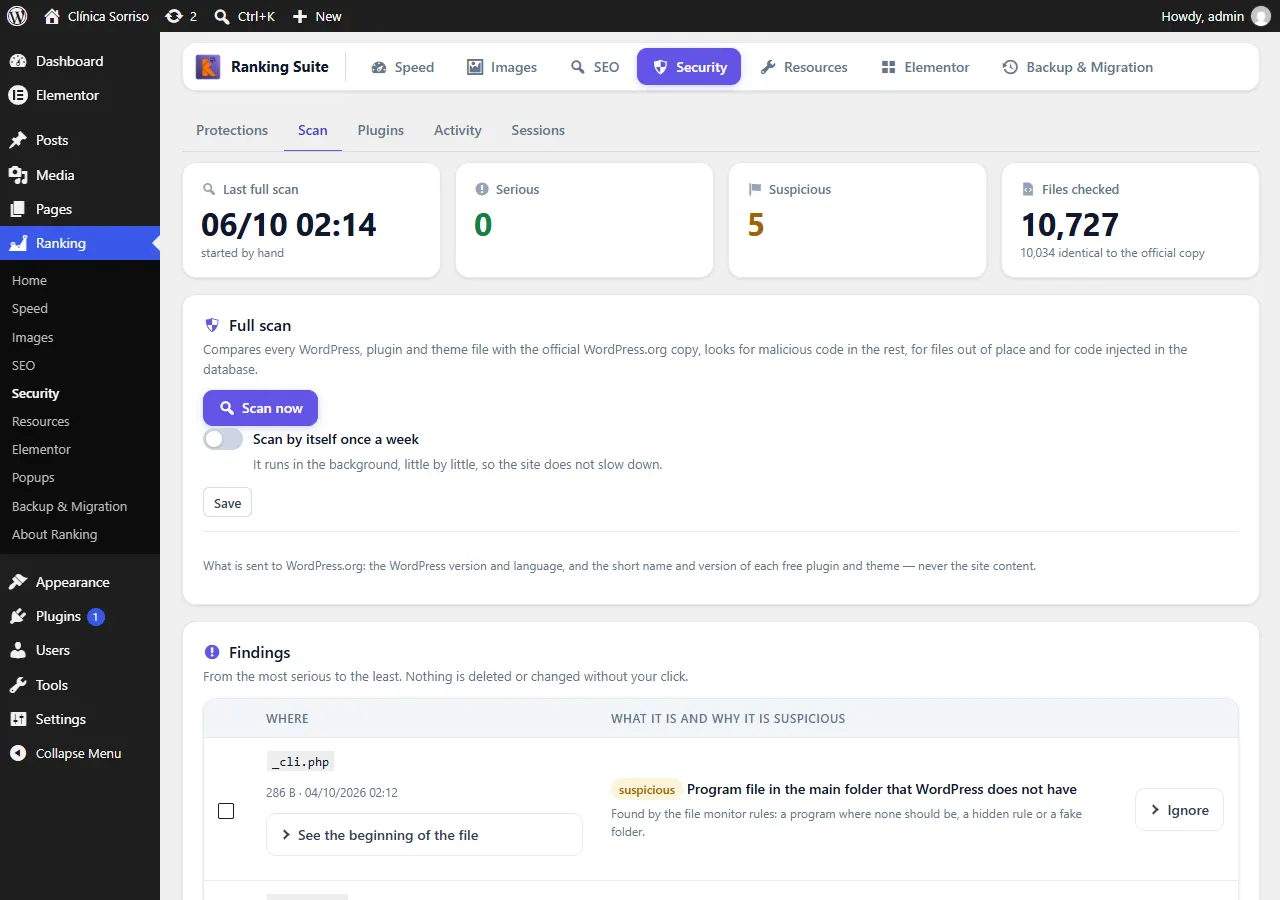
Screenshots of the plugin on a test WordPress site, untouched.
In 3 steps
Install
From your WordPress dashboard (Plugins → Add New) or by uploading the zip.
Pick a profile
The wizard asks what kind of site you have and how much the plugin may change: Essential, Recommended or Advanced.
Watch the score go up
The Site Health panel shows what improved and what is still missing, calculated on your own site.
Everything in the plugin
Cache and speed
Ready-made pages for visitors, scripts that wait their turn, automatic critical CSS and preloading the next page. Each tweak has a test mode: only you see it before it goes live.
How it worksWebP and AVIF images
Creates lighter versions of your photos and serves the lightest the browser accepts, without touching the originals. It also cleans the library: unused and duplicate photos, extra sizes and huge originals.
How it worksAI-powered SEO, no API key
A 2-minute wizard and "Adjust the whole site" with ChatGPT, Gemini or Claude: titles, photo texts, internal links and FAQs, with review and Undo. Sitemap, structured data and import from Yoast and Rank Math.
How it worksSecurity
A full scan that compares every file with the official copy, with a "Repair" button. Login limits, plugins with known flaws, open sessions and a log of who did what.
How it worksBackup
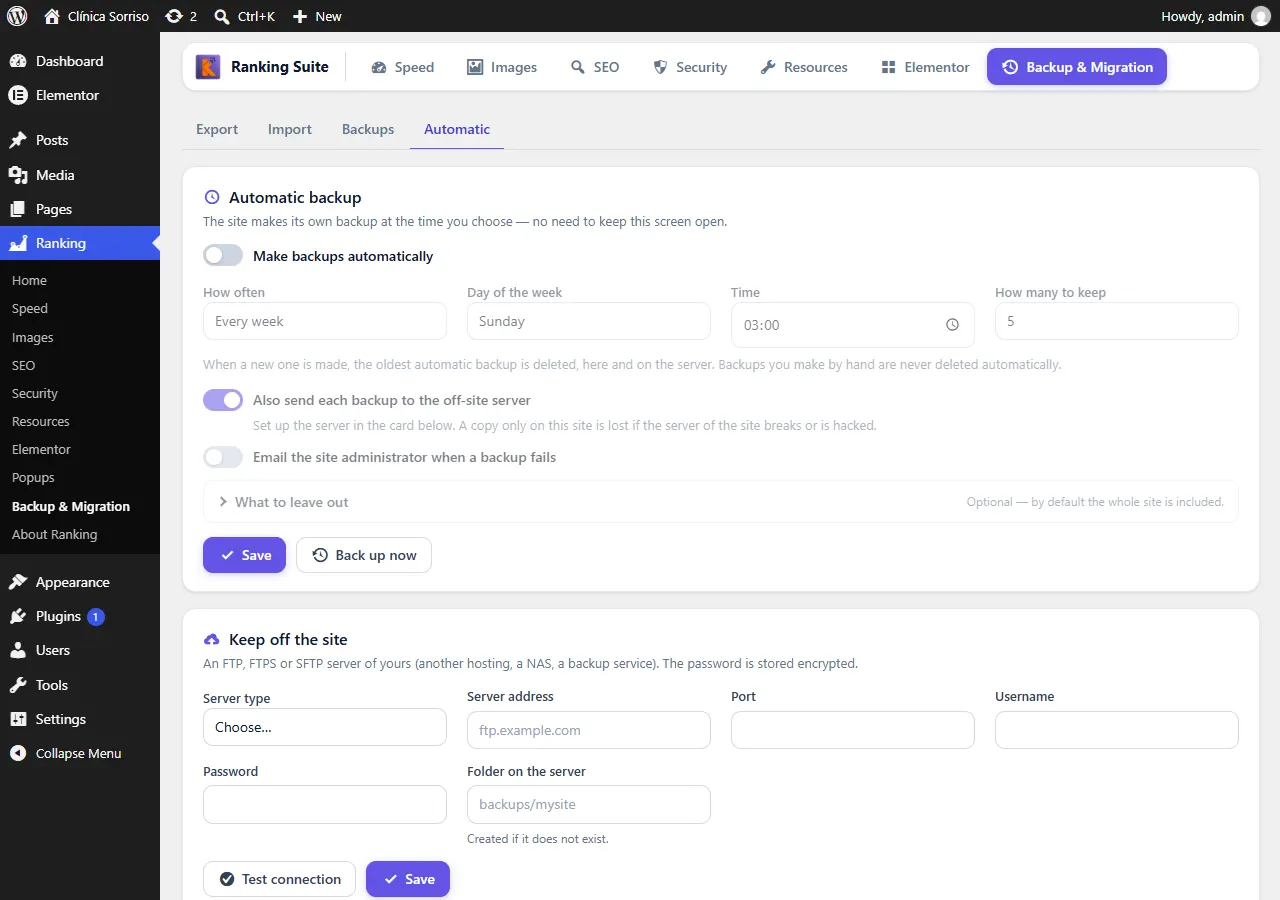
A copy of the whole site in a single file, made by hand or on a schedule, and sent to an FTP/SFTP server of yours. Restores everything or just one part.
How it worksImport from other tools
Bring your site over from a All-in-One WP Migration, UpdraftPlus, Duplicator, WPvivid or BackWPup backup. The address is updated by itself.
How it worksCookie notice (LGPD)
A bar with equally sized "Accept all" and "Reject all" buttons, plus Consent Mode v2. Holds Google Analytics and the Pixel until the visitor accepts and keeps a record of each choice.
How it worksWhatsApp button
A button in the corner of your site that opens a chat with your number and a ready message. Clicks count as conversions in Google and Meta.
How it worksComing soon and maintenance mode
A page with your logo and a message instead of the site while you work on it. Google understands it is temporary, and you keep seeing the real site.
How it worksEveryday resources
Duplicate pages and posts, turn off comments, llms.txt for AI (in SEO), lighter CSS and a CDN address — things that usually need one plugin each.
How it worksWidgets for Elementor
15 widgets the free Elementor doesn't have (FAQ, tabs, testimonials, price table, countdown…), a contact form with privacy consent, and popups.
How it worksTracking
Google Analytics, Google Ads, Meta, TikTok, LinkedIn and Pinterest straight from your site, no Tag Manager needed, respecting the cookie notice.
How it worksTheme builder
Header, footer and templates for posts, pages, archives, search and 404 designed in the free Elementor, with reusable sections: change it once, it changes everywhere.
How it worksEmail that arrives
Your site's emails (forms, orders, passwords) sent through a real email account, so they stay out of spam.
How it works8 more widgets
A menu with a mobile version, a gallery with lightbox, a slider, video and map that only load on click, social icons, a table and share buttons.
How it worksSEO handled by Ranking
Ranking can now handle all of the site's SEO from its dashboard: title, description, focus keyword, social, FAQ and structured data for every page and category, plus SEO settings and redirects — always keeping a copy to undo.
How it worksTypes and Fields
Build your own content types (properties, courses, team…), categories and custom fields, show them in Elementor and create item grids with search filters — no JetEngine, ACF or JetSmartFilters needed.
How it worksSafe for your site
Nothing changes until you choose
Activating the plugin turns nothing on and touches no file. Everything starts in the wizard.
One-click undo
Each module keeps its latest changes. Don't like one? Undo it.
Uninstalling leaves everything as it was
Server files the plugin changes are saved first and restored when you uninstall.
No data collection
The plugin sends nothing from your site to Ranking. External services are off by default.
Bring your site from another tool
Have a backup from All-in-One WP Migration, UpdraftPlus, Duplicator, WPvivid or BackWPup? Ranking Suite opens the file and restores the site, updating the address by itself. A backup split into several files goes all at once. No code copied from anyone: it only reads the format.
Today
- All-in-One WP Migration
- UpdraftPlus
- Duplicator
- WPvivid
- BackWPup
Frequently asked questions
Is it really free?
Yes. Ranking Suite is free, with no hidden paid version, no locked features and a GPL license (use it on as many sites as you like).
Does it work with Elementor?
Yes. Cache and optimizations respect pages built with Elementor and clear the cache when you save a page.
Does it work with Nginx?
Yes. On Nginx the plugin can't write server rules by itself, so it shows ready-to-copy rules and checks whether they are working.
Can it run alongside another cache plugin?
Two caches at once get in each other's way. Ranking Suite detects the other plugin, warns you and keeps its own cache off while the other one is active. It never deactivates anything by itself.
Will it break my site?
Activating it changes nothing. The Essential profile doesn't touch any server file. In the other profiles the original is saved first and every change can be undone. Still, we recommend having a backup before changing any plugin.
Does the plugin send data from my site to you?
No. Everything is calculated on your own site. The few features that talk to external services (such as IndexNow and Google Fonts) are off by default and documented.
What's new
3.19.0 · November 12, 2026
- Backup through the AI Connection: before changing the site, the AI starts and follows a backup with Ranking Suite itself. Image optimization through the connection is now reliable (no longer stuck on sites that hide attachments) and reports why each failed image failed. The page main image is now picked correctly with sliders and separate mobile and desktop versions. With Turnstile on, the Contact Form 7 reCAPTCHA no longer loads. New tools to read and edit widgets. The email code on first login now comes off on new installs (turn it on in the Security screen).
3.18.0 · November 3, 2026
- More complete AI Connection (MCP): the AI can now also set up Ranking Suite itself for the best results — turn modules on and off, adjust speed, images, SEO, security, tracking and email, apply the ready-made profiles and run tasks such as clearing the cache — and take care of the site's plugins (install from the official directory, activate, deactivate and update). Everything goes to the History, with Undo.
3.17.1 · November 3, 2026
- New AI Connection (MCP) screen: connect Claude, Gemini, Cursor and ChatGPT straight to your site, with a permission per connection (view only, change, or change and delete), a history of everything the AI changed and an Undo button.
Want to hear about new versions?
Leave your email and we'll let you know when a new version comes out. It's optional: the download asks for nothing.
Want us to take care of your site?
Ranking has been building, hosting and maintaining WordPress sites for over 15 years, in Brazil. If you'd rather not worry about any of this, talk to us.